 Yearbin
See a year of eBay sales, refunds, fees and labels, checked against your report.
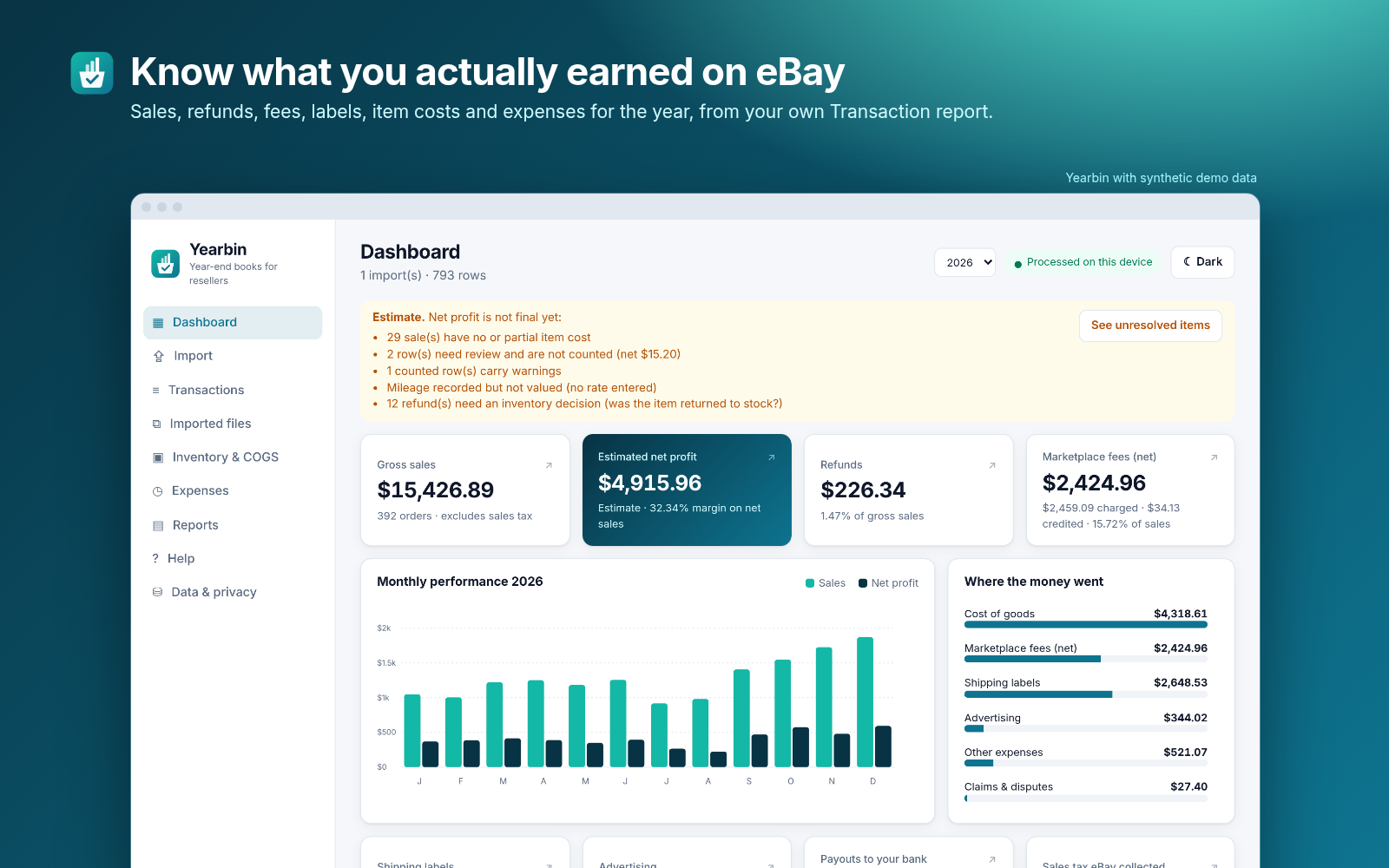
Yearbin reads the Transaction report you download from Seller Hub and turns it into sales, refunds, fees, shipping labels, ads and claims. Yearbin Full, planned after the beta, adds item costs and expenses. Every total opens to the rows behind it.
Download Yearbin Free BetaCompare Free and FullNo eBay login · Runs on your computer, nothing uploaded · No subscription · Not tax advice
How it works
1 · Download your report
In Seller Hub, open Payments → Reports and create a Transaction report for the year. Download it as CSV. Step by step
2 · Open it in Yearbin
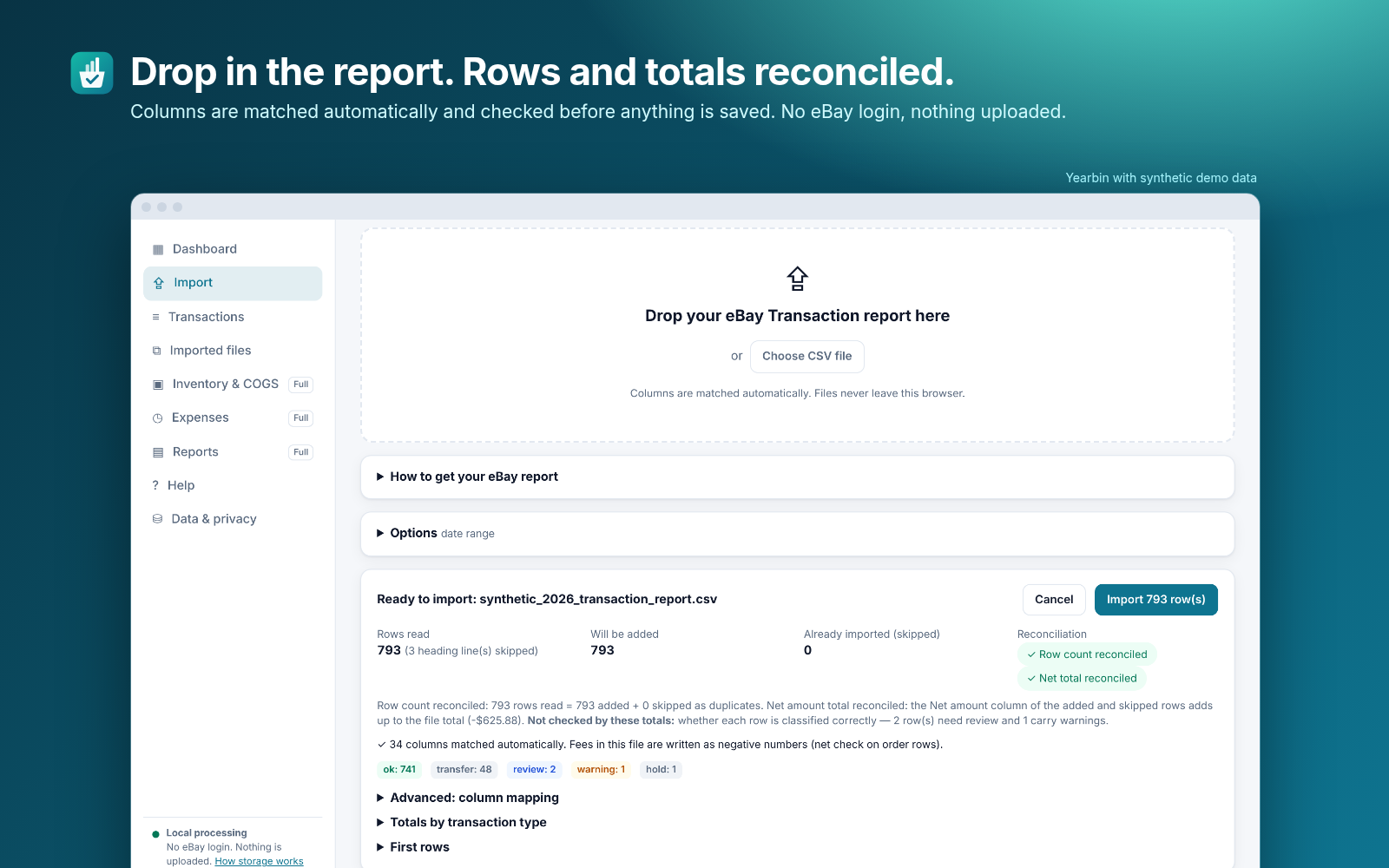
Columns are matched automatically. Before anything is saved, Yearbin checks that the row count and the net total match the file, and lists rows it could not classify for you to review.
3 · Check the numbers
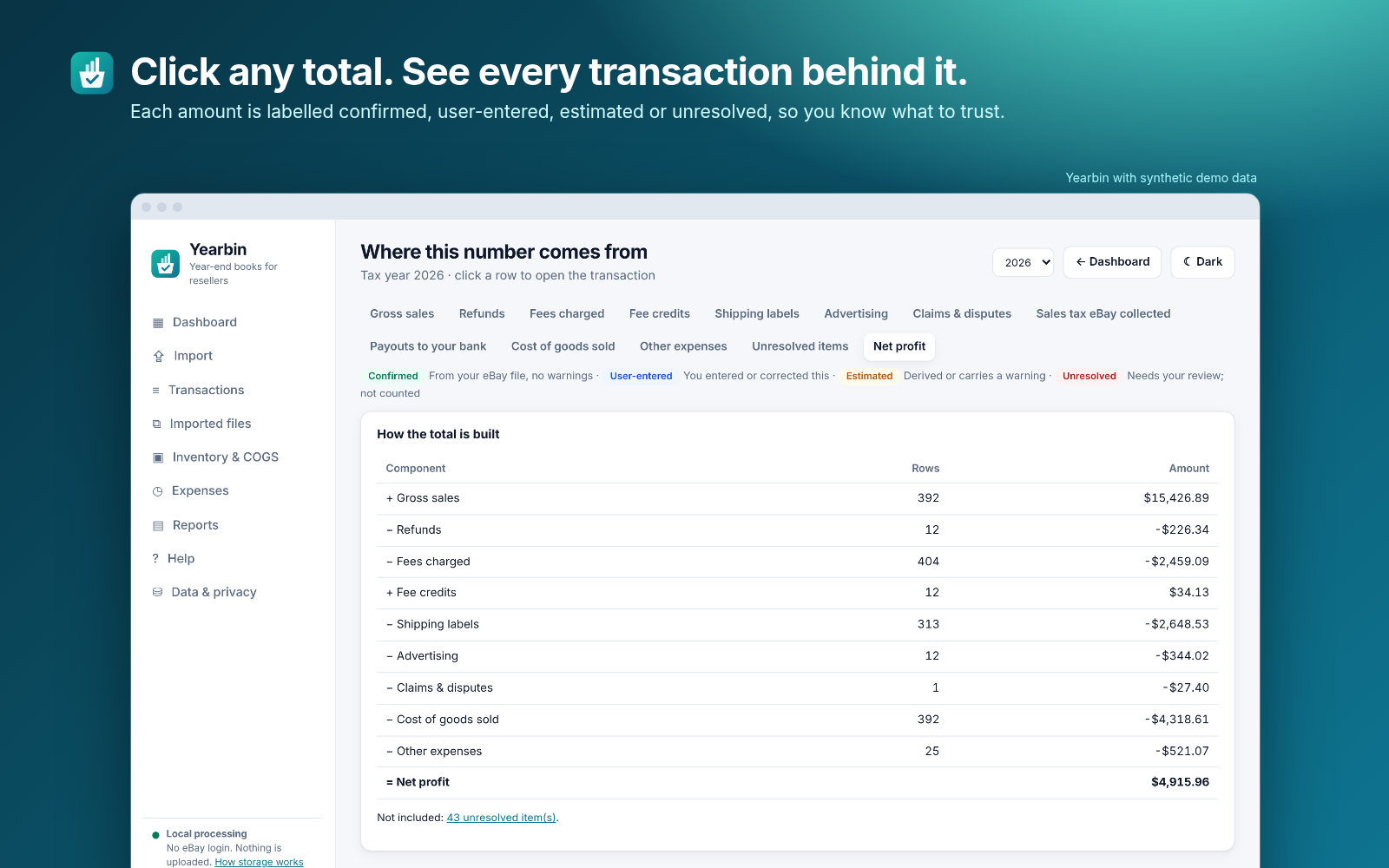
Click any total to see the transactions behind it. In Yearbin Full, add item costs and expenses, then print an annual report for your records or your tax preparer.
Every total traceable
Each figure is labelled confirmed (from your file), user-entered, estimated or unresolved. Unresolved items stay out of the totals until you decide, and the dashboard says so.
When Yearbin is not sure, it asks: how your file writes fees, whether a refunded item went back in stock and how many units, or which item a reused Custom label refers to.
Private by design
Yearbin is a file you open in your browser. It blocks every network connection, has no analytics and no license check. Your report never leaves your computer. Privacy policy
Free and Full
| What you get | Free (beta) | Full (planned) |
|---|---|---|
| Price | $0, no email | $29 one-time, not on sale during the beta |
| Import Transaction reports, any number, any years | ✓ | ✓ |
| Row count and net total reconciliation, review list | ✓ | ✓ |
| Sales, refunds, fees and credits, labels, ads, claims | ✓ | ✓ |
| Drill-down from every total to its rows | ✓ | ✓ |
| Duplicate and multi-item order review | ✓ | ✓ |
| Backup and restore | ✓ | ✓ |
| Item costs and bulk lots (FIFO), returns to stock | — | ✓ |
| Expenses and mileage | — | ✓ |
| Annual and year-by-year reports, CSV exports | — | ✓ |
| Worksheets using 2026 Schedule C (Form 1040) line titles | — | ✓ |
Neither edition is tax software or a certified statement, and neither is made or endorsed by eBay.
Before you rely on it
Yearbin 1.0.0-rc3 has been tested with synthetic reports built from eBay's published field descriptions. It has not yet been checked against many real exports, so try Free on your own report first: the import check tells you what it could and could not read. See supported reports and known limitations.